Agent 框架 05:GitAgent——代码仓库智能运维与 PR 闭环实战
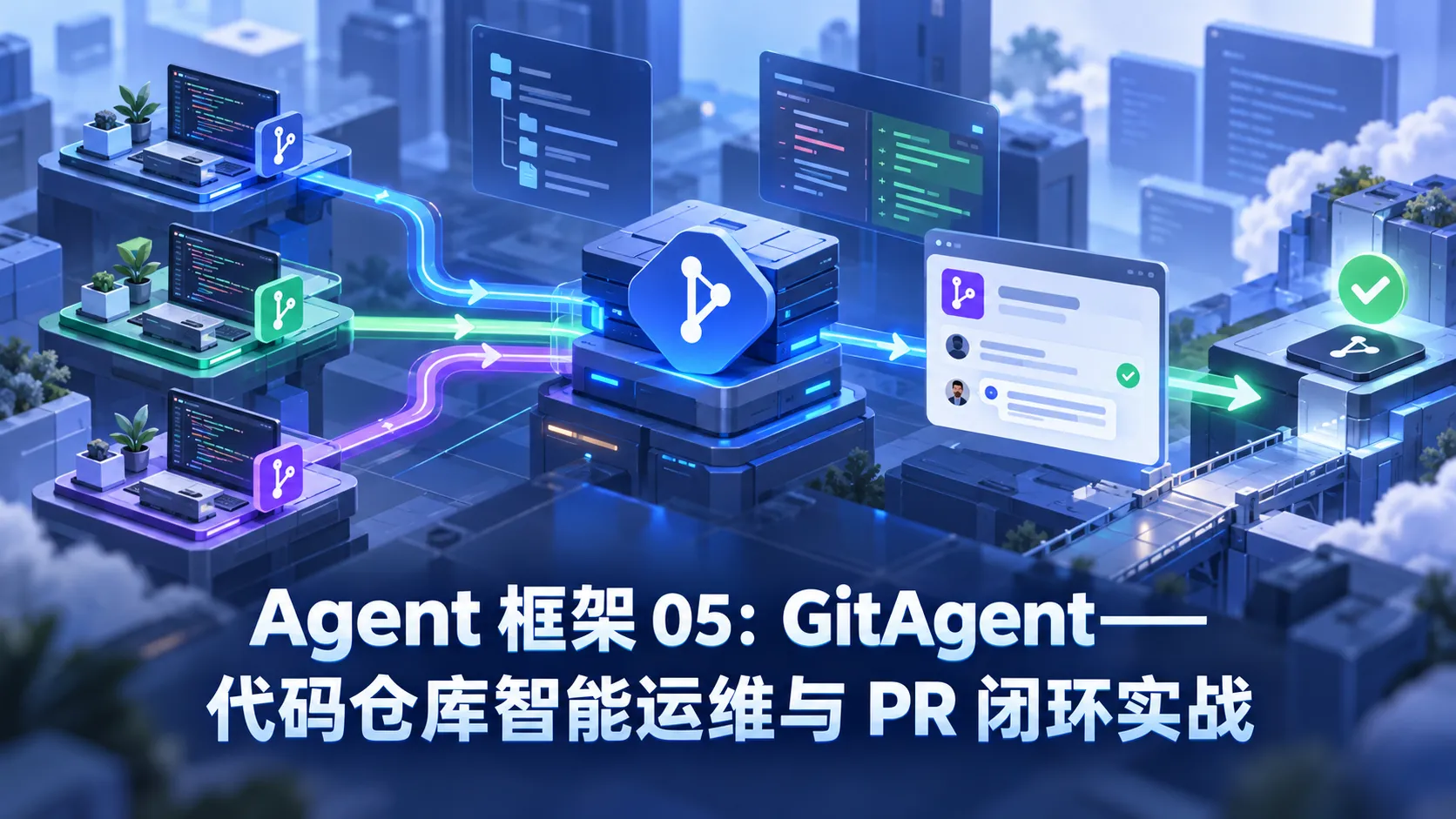
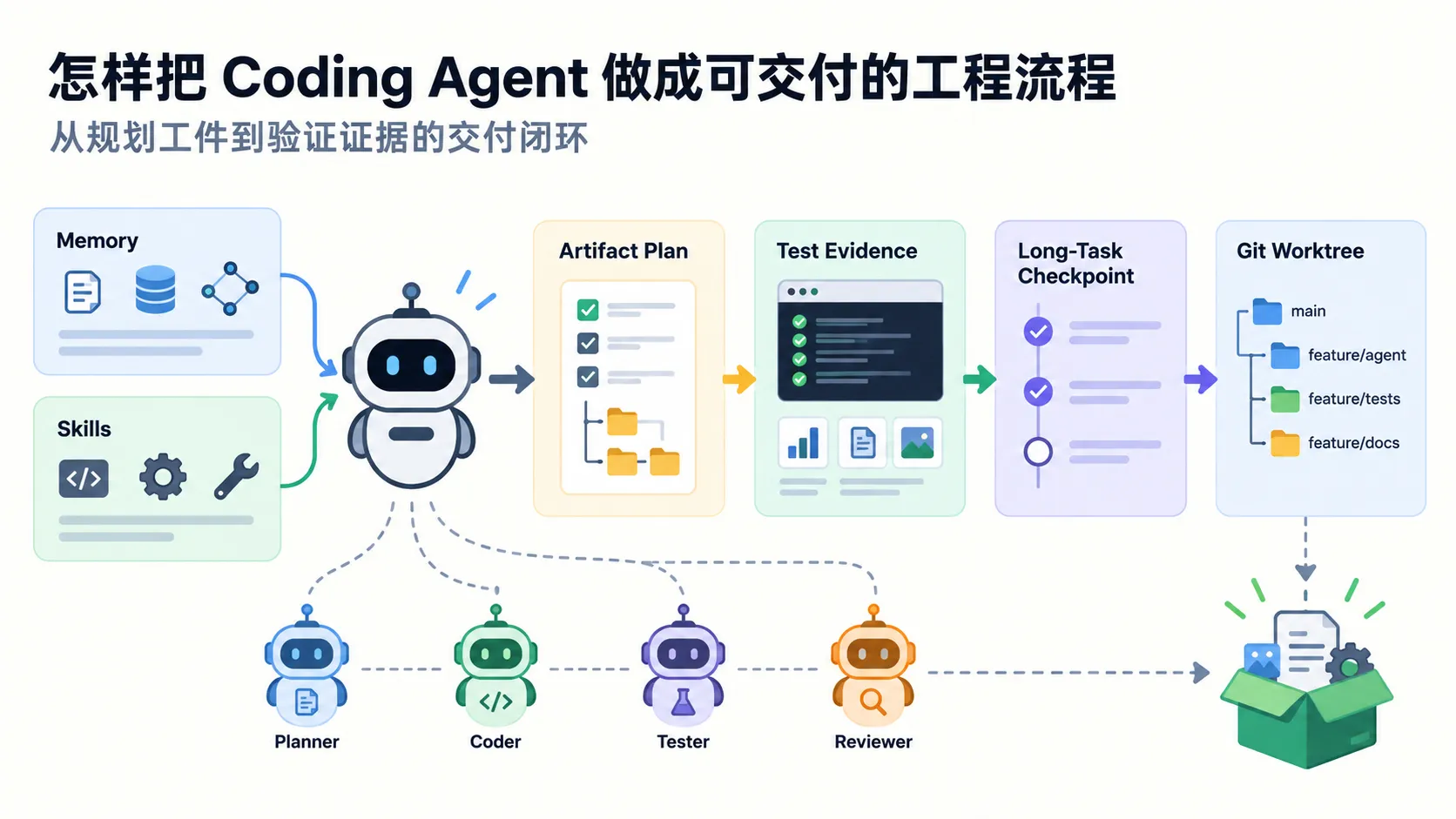
在软件工程领域,代码智能体(Software Engineering Agent)已经从早期的“代码自动补全单行代码”演进为能够独立理解仓库拓扑、复现 Bug、修改测试并提交 Pull Request 的全流程智能体。

GitAgent 并不是某一个商业公司独占的专有框架,而是一套围绕 Git 源码控制协议与代码仓库协作生命周期的专用工程模式。从 SWE-agent、Aider、OpenHands 到 GitHub 官方的 Copilot Workspace,其核心设计全部围绕:赋予大模型读取仓库结构、精准检索定位、安全修改源码、受限命令执行以及调用 GitHub/GitLab API 形成运维闭环。


核心系统架构与安全隔离沙箱

代码仓库承载着企业的核心商业机密与生产稳定性,赋予 Agent 写权限和 Shell 权限伴随着极大的破坏风险。一个合规生产级的 GitAgent 必须建立分级工具权限控制:


核心工具集矩阵

构建一个完备的 GitAgent 需要以下正交的基础工具支撑:

工具分类 典型指令 / 操作 安全等级 核心职责
只读探查 read_file, list_directory, search_code 安全(Read Only) 索引文件目录树,检索类与方法定义,定位相关上下文
版本比对 git status, git diff, git log 安全(Read Only) 了解未暂存的改动、当前工作区分支状态与历史提交原因
代码写入 write_file, apply_patch 敏感(Write) 按原子粒度修改目标源码,避免全局重写导致无关格式抖动
命令验证 run_command(仅限安全测试命令) 高危(Execute) 在受限子进程或 Docker 沙箱中运行单元测试,验证修改正确性
远程协作 get_pr_diff, post_pr_comment 审计受控 对接 GitHub REST API,拉取 Pull Request 变更并回填评审意见

从零搭建安全可控的 GitAgent 底座

下面基于 Python 与 Anthropic Claude API,从零实现一个带有命令执行白名单过滤、代码定位与自动修改闭环的轻量级 GitAgent:

1
2
3
4
5
6
7
8
9
10
11
12
13
14
15
16
17
18
19
20
21
22
23
24
25
26
27
28
29
30
31
32
33
34
35
36
37
38
39
40
41
42
43
44
45
46
47
48
49
50
51
52
53
54
55
56
57
58
59
60
61
62
63
64
65
66
67
68
69
70
71
import os
import subprocess
from typing import Any
from anthropic import Anthropic

client = Anthropic()

# ===== 1. 定义具备防御性设计的底层工具 =====

def read_file(path: str) -> str:
"""读取目标文件内容,防止路径越界并设置最大读取阈值"""
try:
norm_path = os.path.normpath(path)
if norm_path.startswith(".."):
return "错误:禁止越界访问父级目录文件"
with open(norm_path, "r", encoding="utf-8") as f:
content = f.read()
# 限制单次返回最大字符数,防止超大文件撑爆上下文
return content[:15000] if len(content) > 15000 else content
except Exception as e:
return f"读取文件失败: {e}"

def list_directory(path: str = ".") -> str:
"""列出指定目录下的文件,自动忽略 .git 等庞大隐藏目录"""
try:
items = os.listdir(path)
filtered = [item for item in items if not item.startswith(".git") and not item == "__pycache__"]
return "\n".join(sorted(filtered))
except Exception as e:
return f"列出目录失败: {e}"

def run_safe_command(command: str) -> str:
"""执行 Shell 命令:严格基于前缀白名单拦截危险动作"""
allowed_prefixes = ("git status", "git diff", "git log", "git branch", "grep ", "find ", "ls ")
stripped = command.strip()
if not any(stripped.startswith(p) for p in allowed_prefixes):
return f"安全拦截:不允许执行非白名单命令 '{command}'"

try:
result = subprocess.run(
stripped,
shell=True,
capture_output=True,
text=True,
timeout=15, # 强制超时保护
)
output = result.stdout or result.stderr
return output[:3000] if output else "命令执行成功(无输出)"
except subprocess.TimeoutExpired:
return "命令执行超时,已强制终止"
except Exception as e:
return f"命令执行异常: {e}"

def search_code(pattern: str, directory: str = ".") -> str:
"""在当前仓库代码中快速检索特定关键字或符号"""
cmd = ["grep", "-rn", "--exclude-dir=.git", "--exclude-dir=node_modules", pattern, directory]
try:
res = subprocess.run(cmd, capture_output=True, text=True, timeout=10)
return res.stdout[:3000] if res.stdout else "未找到任何匹配项"
except Exception as e:
return f"代码搜索出错: {e}"

def write_file(path: str, content: str) -> str:
"""写入文件内容,自动创建父级缺失目录"""
try:
os.makedirs(os.path.dirname(path) or ".", exist_ok=True)
with open(path, "w", encoding="utf-8") as f:
f.write(content)
return f"成功写入文件: {path} (字节数: {len(content)})"
except Exception as e:
return f"写入文件失败: {e}"

工具 Schema 与调度执行循环

1
2
3
4
5
6
7
8
9
10
11
12
13
14
15
16
17
18
19
20
21
22
23
24
25
26
27
28
29
30
31
32
33
34
35
36
37
38
39
40
41
42
43
44
45
46
47
48
49
50
51
52
53
54
55
56
57
58
59
60
61
62
63
64
65
66
67
68
69
70
71
72
73
74
75
76
77
78
79
80
81
82
83
84
85
86
87
88
89
90
91
92
93
94
95
96
97
98
99
100
101
102
103
104
105
# 工具元数据描述
TOOL_SCHEMAS = [
{
"name": "read_file",
"description": "读取代码库中的指定文件内容",
"input_schema": {
"type": "object",
"properties": {"path": {"type": "string", "description": "相对仓库根目录的文件路径"}},
"required": ["path"],
},
},
{
"name": "list_directory",
"description": "列出指定目录下的代码文件清单",
"input_schema": {
"type": "object",
"properties": {"path": {"type": "string", "description": "目标目录路径,默认为当前目录"}},
},
},
{
"name": "run_safe_command",
"description": "执行白名单内的安全 Git 命令或文件查看命令",
"input_schema": {
"type": "object",
"properties": {"command": {"type": "string", "description": "需要运行的 Shell 命令"}},
"required": ["command"],
},
},
{
"name": "search_code",
"description": "在代码库中全局搜索函数名、变量或关键字",
"input_schema": {
"type": "object",
"properties": {"pattern": {"type": "string", "description": "搜索关键词或正则表达式"}},
"required": ["pattern"],
},
},
{
"name": "write_file",
"description": "将修复或重构后的完整代码写入目标文件",
"input_schema": {
"type": "object",
"properties": {
"path": {"type": "string", "description": "目标文件路径"},
"content": {"type": "string", "description": "完整新代码内容"},
},
"required": ["path", "content"],
},
},
]

TOOL_HANDLERS = {
"read_file": read_file,
"list_directory": list_directory,
"run_safe_command": run_safe_command,
"search_code": search_code,
"write_file": write_file,
}

def run_git_agent(task_prompt: str, repo_dir: str = ".") -> str:
"""GitAgent 主循环:自主观察代码、调用工具、迭代排查"""
cwd_backup = os.getcwd()
os.chdir(repo_dir)

messages = [{"role": "user", "content": task_prompt}]
system_instruction = """你是一名经验丰富的资深代码工程师兼仓库运维助手。
你的工作准则:
1. 先探查仓库目录结构或查看 git status/diff,严禁凭空臆想文件内容。
2. 遇到 Bug 时,先使用 search_code 定位出错位置,再读取上下文。
3. 任何代码修改必须保持原有编码规范与注释完备性。"""

try:
while True:
response = client.messages.create(
model="claude-opus-4-5",
max_tokens=4096,
system=system_instruction,
tools=TOOL_SCHEMAS,
messages=messages,
)

# 如果模型要求执行工具
if response.stop_reason == "tool_use":
tool_results = []
for block in response.content:
if block.type == "tool_use":
handler = TOOL_HANDLERS.get(block.name)
result = handler(**block.input) if handler else f"未知工具: {block.name}"
tool_results.append({
"type": "tool_result",
"tool_use_id": block.id,
"content": str(result),
})

# 将助理发言与工具执行结果回填对话上下文
messages.append({"role": "assistant", "content": response.content})
messages.append({"role": "user", "content": tool_results})
else:
# 任务完成,返回最终结论
for block in response.content:
if hasattr(block, "text"):
return block.text
return "任务执行完毕。"
finally:
os.chdir(cwd_backup)

典型实战场景演练

场景 1:自动生成符合规范的 Git Commit Message

在实际工程中,团队经常面临开发者提交类似 fix、update 这种毫无信息量的提交信息。GitAgent 可以直接审查 git diff --cached 并生成规范的 Conventional Commits:

1
2
3
4
5
6
7
task = """请运行 git diff --cached 查看当前暂存区的改动,
严格按照 Conventional Commits 规范(feat/fix/refactor/docs 等)生成提交信息:
1. 第一行:<type>(<scope>): <简要动宾短语描述>
2. 空一行后:详细列出改动的动机和主要影响文件。"""

commit_message = run_git_agent(task, repo_dir="./my-project")
print("生成的 Commit Message:\n", commit_message)

场景 2:对接 GitHub API 实现自动化 PR 代码审查 Bot

利用 GitHub REST API,GitAgent 可以直接作为 CI/CD 流水线的一环,在代码提交时自动打上审查评语:

1
2
3
4
5
6
7
8
9
10
11
12
13
14
15
16
17
18
19
20
21
22
23
24
25
26
27
28
29
30
31
32
33
34
35
36
37
38
39
40
41
42
43
44
45
46
47
48
49
50
51
52
53
import os
import requests
from anthropic import Anthropic

GITHUB_TOKEN = os.environ.get("GITHUB_TOKEN", "")
REPO_NAME = "org-name/repo-name"

def fetch_pr_patch(pr_number: int) -> str:
"""拉取指定 Pull Request 的代码变动补丁"""
url = f"https://api.github.com/repos/{REPO_NAME}/pulls/{pr_number}/files"
headers = {
"Authorization": f"Bearer {GITHUB_TOKEN}",
"Accept": "application/vnd.github.v3+json",
}
resp = requests.get(url, headers=headers)
resp.raise_for_status()

files = resp.json()
diff_summary = []
for f in files:
diff_summary.append(f"文件: {f['filename']} (状态: {f['status']})\n{f.get('patch', '')}")
return "\n\n".join(diff_summary)[:10000]

def post_pr_review_comment(pr_number: int, comment_text: str):
"""在 PR 下追加 Review 评论"""
url = f"https://api.github.com/repos/{REPO_NAME}/issues/{pr_number}/comments"
headers = {
"Authorization": f"Bearer {GITHUB_TOKEN}",
"Accept": "application/vnd.github.v3+json",
}
requests.post(url, headers=headers, json={"body": comment_text})

def automated_pr_review(pr_number: int):
patch_content = fetch_pr_patch(pr_number)

anthropic_client = Anthropic()
prompt = f"""你是一名极其挑剔的代码架构师。请针对以下 PR 变更进行代码审查:
1. 是否存在潜在的空指针、资源未关闭或并发安全隐患?
2. 是否存在 N+1 查询或不合理的性能开销?
3. 给出精炼、客观、指出具体行号的修改建议。

PR 改动详情:
{patch_content}
"""
res = anthropic_client.messages.create(
model="claude-opus-4-5",
max_tokens=2048,
messages=[{"role": "user", "content": prompt}],
)

review_body = f"🤖 **GitAgent 自动化代码审查反馈 (PR #{pr_number})**\n\n{res.content[0].text}"
post_pr_review_comment(pr_number, review_body)
print(f"PR #{pr_number} 自动化审查评论发布完毕。")

业界成熟代码 Agent 工具横向对比

开源框架 / 产品 定位形态 交互模式 核心亮点 适用边界
Aider 命令行 CLI 结对编程助手 终端交互式命令行 卓越的代码 Git 树匹配算法,自动写 Commit,支持本地各类模型 个人开发者日常写代码伴侣
SWE-agent 自动化解决 GitHub Issue 批处理工作流 原生针对 SWE-bench 基准设计,具备专用 ACI(Agent-Computer Interface)操作界面 仓库自动化 Issue 修复与学术评测
OpenHands 完整软件工程智能体平台 Web UI + Docker 沙箱 拥有完整虚拟环境容器、浏览器交互与 Shell 控制台 复杂全栈项目端到端自主研发
GitHub Copilot Workspace GitHub 官方云端研发生态 网页端 IDE 集成 与 Issue、PR、Code Review 深度打通,一键生成规格说明和改动分支 托管在 GitHub Enterprise 上的大型团队

生产落地防线:安全性与权限边界

在生产环境中落地 GitAgent 时,有三个必须遵守的安全原则:

  1. 绝对禁止赋予无限制 Shell:Agent 绝不能拥有直接运行任意 bash 脚本的权限,防止出现递归删除、网络反弹 shell 等破坏。
  2. 强制沙箱运行测试:运行用户测试套件时,必须在独立不可联网的 Docker 容器中执行,挂载只读核心系统盘。
  3. 人类终审(Human-in-the-loop):Agent 可以提分支、提 PR,但主干分支(main/master)必须配置保护规则,严禁 Agent 具备直接 bypass 权限进行自动合并。

优缺点分析与工程选型边界

核心优势

  • 直接降本增效:自动提取 PR 概要、标准化 Commit、初筛明显空指针 Bug,节省资深工程师大量重复机械体力劳动。
  • 无缝嵌入既有研发生态:不需要修改现有的代码架构,基于标准 Git 协议与 Webhook 即可无缝接入。

现实局限

  • 上下文窗口压力大:大型单体代码仓库(Monorepo)可能包含数万个源文件,缺乏有效代码分块检索时容易丢失全局依赖信息。
  • 幻觉导致的细微逻辑漏洞:生成的补丁可能在语法层面完全正确,但在未覆盖的业务隐式契约中产生难以排查的边界副作用。

关联导航